ip
Baymax User Guide
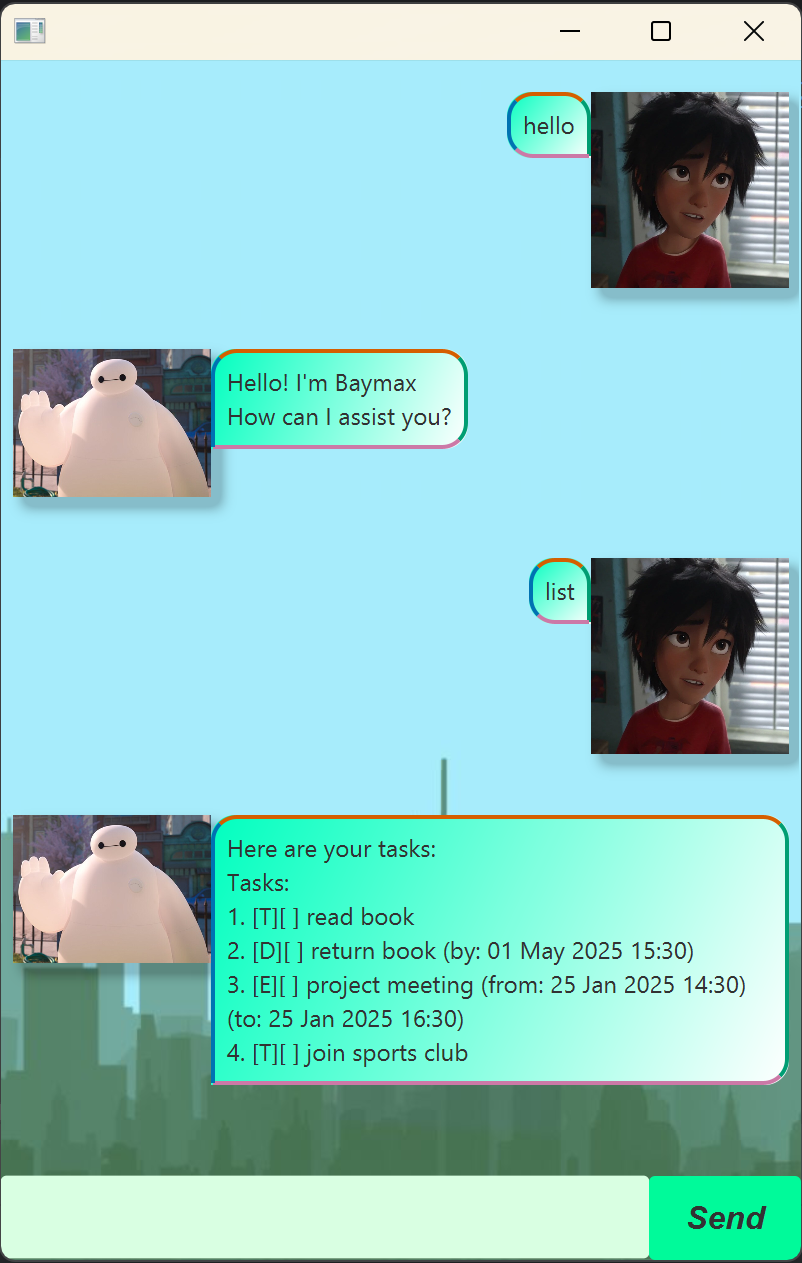
This is Baymax, your personal task companion!
Adding Todos
Tell Baymax that you want to add a todo task
Example: todo Finish homework
Baymax should respond accordingly
Got it. Added this task:
[T][] Finish homework
Now you have 20 tasks in the list.
Adding Deadlines
Tell Baymax that you want to add a task with a deadline
Example: deadline Finish homework /by 2025-01-27 12:30
Baymax should respond accordingly
Got it. Added this task:
[D][] Finish homework (by: 27 Jan 2025 12:30)
Now you have 20 tasks in the list.
Adding Events
Tell Baymax that you want to add a task with a deadline
Example: event Run a marathon /from 2025-01-27 08:30 /to 2025-01-27 10:30
Baymax should respond accordingly
Got it. Added this task:
[E][] Run a marathon (from: 27 Jan 2025 08:30) (to: 27 Jan 2025 10:30)
Now you have 20 tasks in the list.
Deleting tasks
Tell Baymax that you want to delete a task
Example: delete 4
Baymax should respond accordingly
Task removed!
  [D][] Finish homework (by: 27 Jan 2025 12:30)
Now you have 19 tasks in the list.
List tasks
Tell Baymax to show you all your tasks
Example: List
Baymax should respond accordingly
Here are your tasks:
Tasks:
1. [T][] read book
2. [D][] Finish homework (by: 27 Jan 2025 12:30)
...
(lists all tasks stored)
Find tasks
Can’t remember the full task name? Give Baymax some words from the tasks for him to find it for you.
Example: find book
Baymax should respond accordingly
These are the tasks you are looking for:
1. [T][] read book
2. [D][] return book (by: 27 Jan 2025 12:30)
Mark/unmark tasks
Once you’ve finished a tasks, or want to indicate you haven’t finished it?
Example: mark 5
Baymax should respond accordingly
Okie dokie this is marked as done:
[T][X] read book
Exit program
This command should close the program
Example: bye
Baymax should respond accordingly before closing the window
Goodbye! *slowly deflates*